
If you want a flight simulator that feels as close to real cockpit command as possible, the hardware you choose makes all the difference. A quality HOTAS (Hands‑On‑Throttle‑And‑Stick) lets you manage pitch, roll, yaw and engine power without ever having to pause and reach for the keyboard.
By pairing a responsive stick with a smooth throttle you gain the precision needed for formation flying, combat maneuvers and delicate landings, and you also reduce strain during long sessions. Understanding the strengths of each combo helps you invest in a setup that matches your budget, platform and flying style, ensuring you get the most immersive experience without unnecessary compromises.
Top Picks
|
Category |
Product |
Price |
Score |
|---|---|---|---|
|
🏆 Best Complete Bundle |
$229.99 |
84/100 |
|
|
💰 Best Value for PC |
$191.84 |
80/100 |
|
|
🎯 Best Entry‑Level Choice |
$74.58 |
90/100 |
How We Chose the Best HOTAS
We focused on realism, ensuring each stick provides multiple axes and high‑resolution sensors that translate subtle hand movements into precise in‑game actions. Compatibility mattered, so we verified native support for PC and, where applicable, Xbox, because you don’t want to spend time troubleshooting drivers.
Ergonomics were essential; a comfortable grip and adjustable resistance reduce fatigue during marathon flights. The number of programmable buttons and throttle options determined flexibility for both civilian and combat scenarios. Finally, we weighed build quality against price to identify options that deliver lasting performance without overpaying.

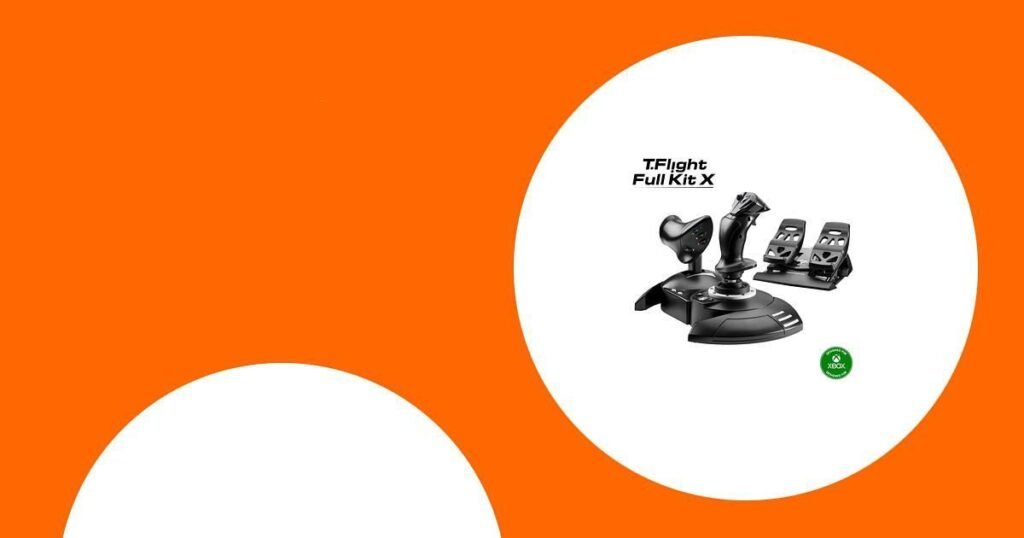
When you’re looking for the best hotas flight stick and throttle for flight simulator, this Thrustmaster bundle packs everything you need into one package. The stick feels solid with Hall‑Effect sensors, the throttle snaps on and off for a tidy desk, and the pedals add smooth yaw control that makes coordinated turns feel natural. It works straight out of the box on both PC and Xbox Series X|S, so you can jump straight into a take‑off without fiddling with drivers.
I’d recommend it if you want a complete cockpit feel without buying separate components, especially for long sessions where comfort matters.
What People Say
Most users appreciate how the kit turns a simple desk into a functional cockpit, highlighting the realistic feel of the stick and the smoothness of the pedals. They also like the value of getting a stick, throttle and pedals together, though a few mention sensitivity tweaks and occasional connection quirks.
|
Pros |
Cons |
|---|---|
|
✅ Immersive control experience |
❌ Stick can feel overly sensitive at first |
|
✅ Comfortable ergonomic design for long sessions |
❌ A light must be turned off to access certain settings |
|
✅ Comprehensive bundle includes pedals and throttle |
❌ Occasional USB connection issues reported |
Compatibility
|
Platform |
Compatibility Level |
|---|---|
|
PC |
Full |
|
Xbox Series X |
Full |
|
Xbox Series S |
Full |
Innovation
Thrustmaster’s SMART slide‑rail system on the rudder pedals delivers buttery‑smooth yaw, while the Hall‑Effect joystick provides high‑resolution, wear‑free axis detection.
Key Benefits
- All‑in‑one package saves you the hassle of mixing brands
- Hall‑Effect joystick delivers precise, low‑latency control
- SMART slide‑rail pedals provide ultra‑smooth yaw for realistic landings
- Detachable throttle lets you adjust the layout for cramped or spacious desks
- 14 programmable buttons cover most cockpit functions
Current Price: $229.99
Rating: 4.2 (total: 704+)

If you’re hunting for the best hotas flight stick and throttle for flight simulator, the X56 gives you a lot of flexibility without overwhelming you. The joystick offers true 6‑degree freedom thanks to mini analog sticks, while the throttle lets you swap springs to match the resistance you prefer.
It works well for everyday flight practice and also shines when you want to tackle intense combat or detailed airliner procedures. I’d suggest it for anyone who likes to tinker with settings and wants a controller that can grow with their skill set.
What People Say
Reviewers consistently highlight the X56’s deep level of customization, noting that the abundance of buttons and programmable springs let them tailor the stick and throttle to specific aircraft. The RGB lighting and ergonomic feel also receive positive remarks.
On the downside, a number of users point out a slight play in the throttle halves and a stick that can feel overly sensitive until you dial in the deadzone settings.
|
Pros |
Cons |
|---|---|
|
✅ Extensive button layout for full cockpit control |
❌ Throttle can exhibit a bit of play between halves |
|
✅ Adjustable throttle springs for personalized feel |
❌ Stick sensitivity may require tweaking for beginners |
|
✅ High‑precision 16‑bit sensors |
❌ Overall build quality feels less sturdy than premium rivals |
|
✅ Customizable RGB lighting adds visual flair |
Compatibility
|
Platform |
Compatibility Level |
|---|---|
|
PC |
Full |
|
Windows |
Full |
|
PlayStation VR |
Limited |
Innovation
Mini analog sticks enable true six‑degree freedom, and the 16‑bit non‑contact sensor technology delivers the most accurate control on the market, while RGB lighting lets you personalize the controller’s appearance.
Key Benefits
- 24 programmable buttons cover most cockpit functions
- Mini analog sticks provide true 6‑degree of freedom
- 16‑bit non‑contact sensors give precise, lag‑free input
- RGB lighting lets you match the controller to your rig’s look
- Spring‑adjustable throttle lets you fine‑tune resistance
Current Price: $191.84
Rating: 4 (total: 2,954+)

When you’re searching for the best hotas flight stick and throttle for flight simulator on a budget, the Hotas X delivers solid performance without a hefty price tag. The stick feels comfortable thanks to a wide hand‑rest and adjustable resistance, while the detachable throttle lets you expand your cockpit layout or keep a compact footprint. You get twelve fully programmable buttons and five axes, enough to cover most civilian and military workflows, and the dual rudder options make coordinated turns feel natural. It’s a straightforward plug‑and‑play unit that works right out of the box, making it a reliable entry point for daily training sessions or occasional sky‑high adventures.
What People Say
Users generally appreciate how easy the Hotas X is to set up and start flying, noting the comfortable grip and the convenience of the detachable throttle. The programmable buttons and preset memory receive positive remarks for allowing quick profile swaps, while a few reviewers mention that the build feels a bit lightweight compared to higher‑end kits.
|
Pros |
Cons |
|---|---|
|
✅ Comfortable ergonomic design for long sessions |
❌ Overall construction feels less robust than premium models |
|
✅ Detachable throttle adds flexibility |
❌ Button count is lower than some competing HOTAS units |
|
✅ Simple plug‑and‑play setup |
❌ No dedicated PC software beyond basic configuration |
|
✅ Memory preset for instant profile changes |
Compatibility
|
Platform |
Compatibility Level |
|---|---|
|
PC |
Full |
|
Windows |
Full |
|
Linux |
Limited |
Innovation
The detachable throttle and dual rudder mechanism let you reshape the cockpit layout on the fly, while adjustable joystick resistance offers a customizable feel that adapts to both casual and serious flight sessions.
Key Benefits
- Detachable throttle creates a flexible desk layout
- Adjustable resistance gives smooth, precise joystick movement
- Dual rudder control provides natural yaw handling
- 12 programmable buttons cover essential cockpit functions
- Preset memory saves your custom profiles for instant use
Current Price: $74.58
Rating: 4.5 (total: 8,348+)
FAQ
How Do I Choose The Best Hotas Flight Stick And Throttle For Flight Simulator
Start by checking the compatibility with your platform – most PC users need a device that works with Windows and supports DirectInput or XInput, while Xbox owners should look for Xbox‑compatible models. Next, consider how many programmable buttons and axes you need; a higher count lets you map complex cockpit functions without reaching for the keyboard. Pay attention to the feel of the stick and throttle – adjustable resistance or spring‑loaded options let you fine‑tune the control response to match both civilian and combat flight styles. Finally, compare the price against the feature set; a slightly higher price for a detachable throttle or integrated pedals can be worthwhile if you plan long sessions, but a simpler stick may be sufficient for casual flying.
Do I Need A Full Kit With Rudder Pedals Or Is A Simple Stick And Throttle Enough
If you’re mostly interested in the best hotas flight stick and throttle for flight simulator and have limited desk space, a basic stick‑and‑throttle combo will give you accurate control for most scenarios. However, adding rudder pedals introduces realistic yaw input that makes coordinated turns and precision landings feel much more natural, especially in high‑fidelity simulators. For beginners or occasional pilots, the extra cost and setup of a full kit may not be necessary, but if you plan to spend many hours in the cockpit or want to replicate real‑world aircraft handling, the pedals provide a noticeable boost in immersion and ergonomics.
What Are Common Setup Issues And How Can I Avoid Them
A frequent problem is the controller not being recognized after it’s moved, which often stems from a loose USB connection; make sure the cable is firmly seated and consider using a short, high‑quality USB extension if the port is hard to reach. Another issue is the stick’s sensitivity – you can usually adjust deadzones and response curves in the device’s configuration software to tame any overly aggressive movement. Finally, if you’re using a full kit with pedals, verify that the pedal power source is connected and the foot rests are properly attached, as missing components can cause the yaw axis to behave erratically.
Wrapping Up
When you compare the three contenders, the Thrustmaster Full Kit stands out for users who want a ready‑to‑fly cockpit with pedals, offering a comprehensive experience at a premium price. The Logitech X56 delivers a rich set of programmable controls and customizable lighting, making it a solid mid‑range choice for PC enthusiasts who value versatility.
For pilots on a tighter budget, the Thrustmaster Hotas X provides essential stick and throttle functions with solid build quality, proving that the best hotas flight stick and throttle for flight simulator can still be affordable. By selecting the combo that aligns with your platform, desired feature set and budget, you can elevate every take‑off and landing to a more immersive and enjoyable experience.
This Roundup is reader-supported. When you click through links we may earn a referral commission on qualifying purchases.